

如何在您的网站上实施Bitmedia JavaScript投放代码
本指南将引导您完成将Bitmedia广告单元添加到网站的整个过程,从获取投放代码到在实时页面上测试广告。
步骤1. 从Bitmedia获取投放代码
- 登录您的账户在 https://bitmedia.io/.
- 导航到发布商部分:https://bitmedia.io/app/publisher/block.
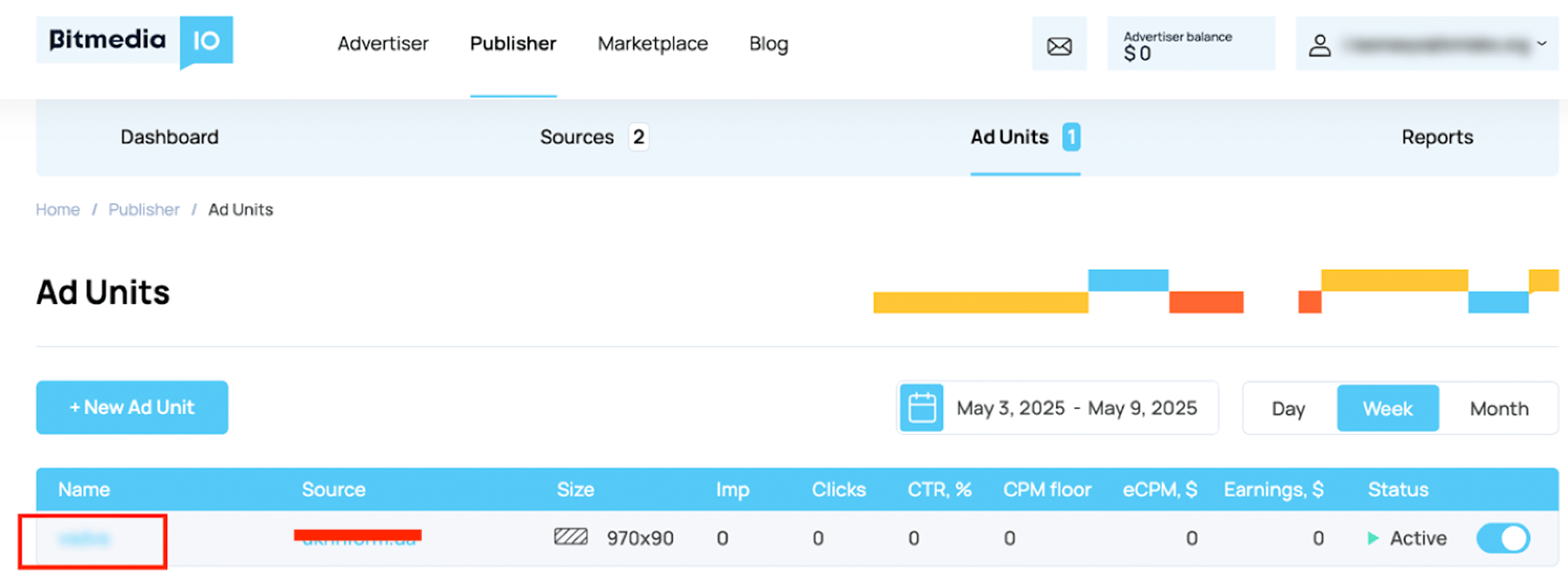
- 点击您想要添加到网站的广告单元名称。
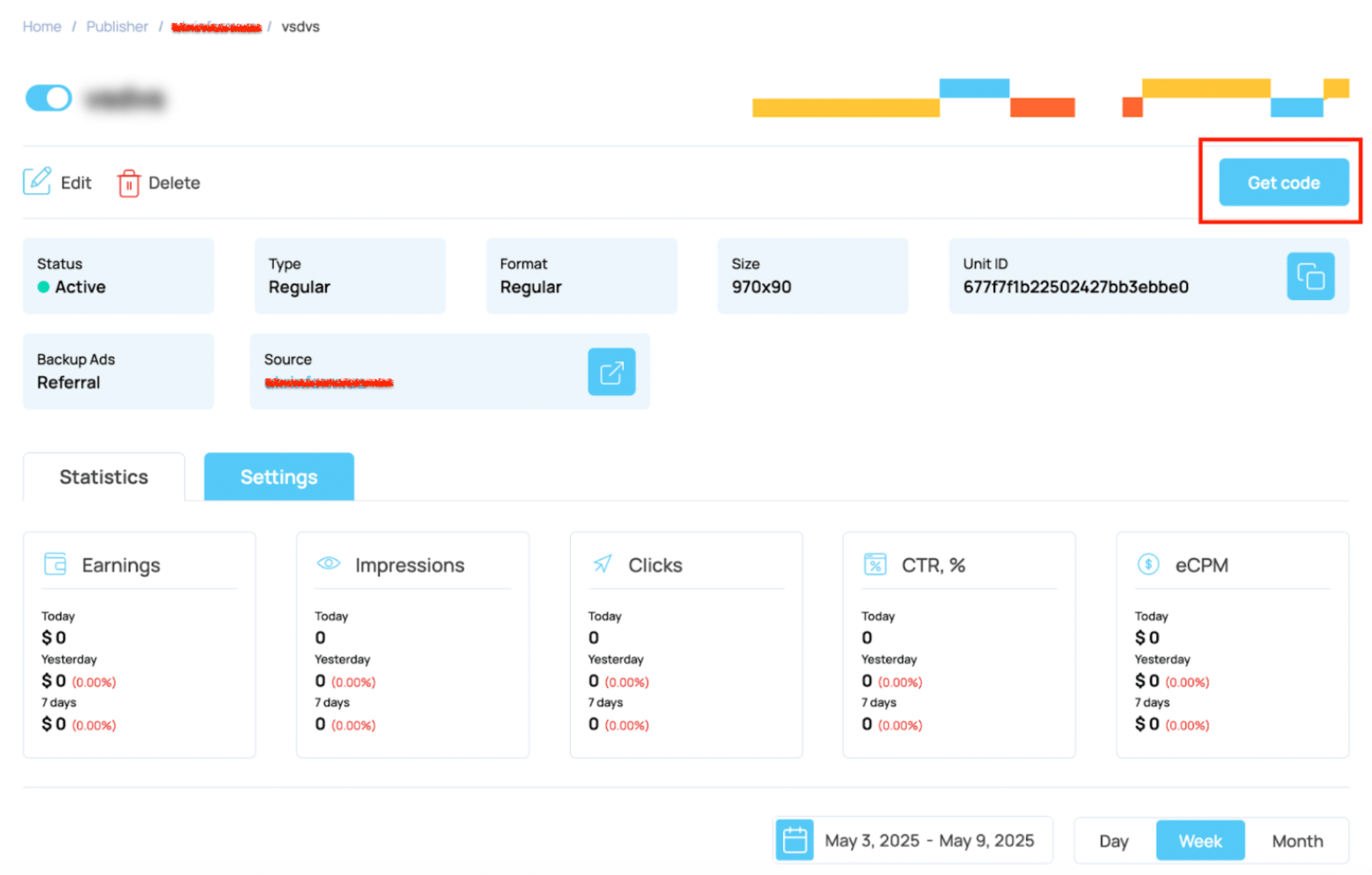
- 在单元详情页面上,点击“获取代码”。
- 点击“复制”将您的广告单元代码复制到剪贴板。
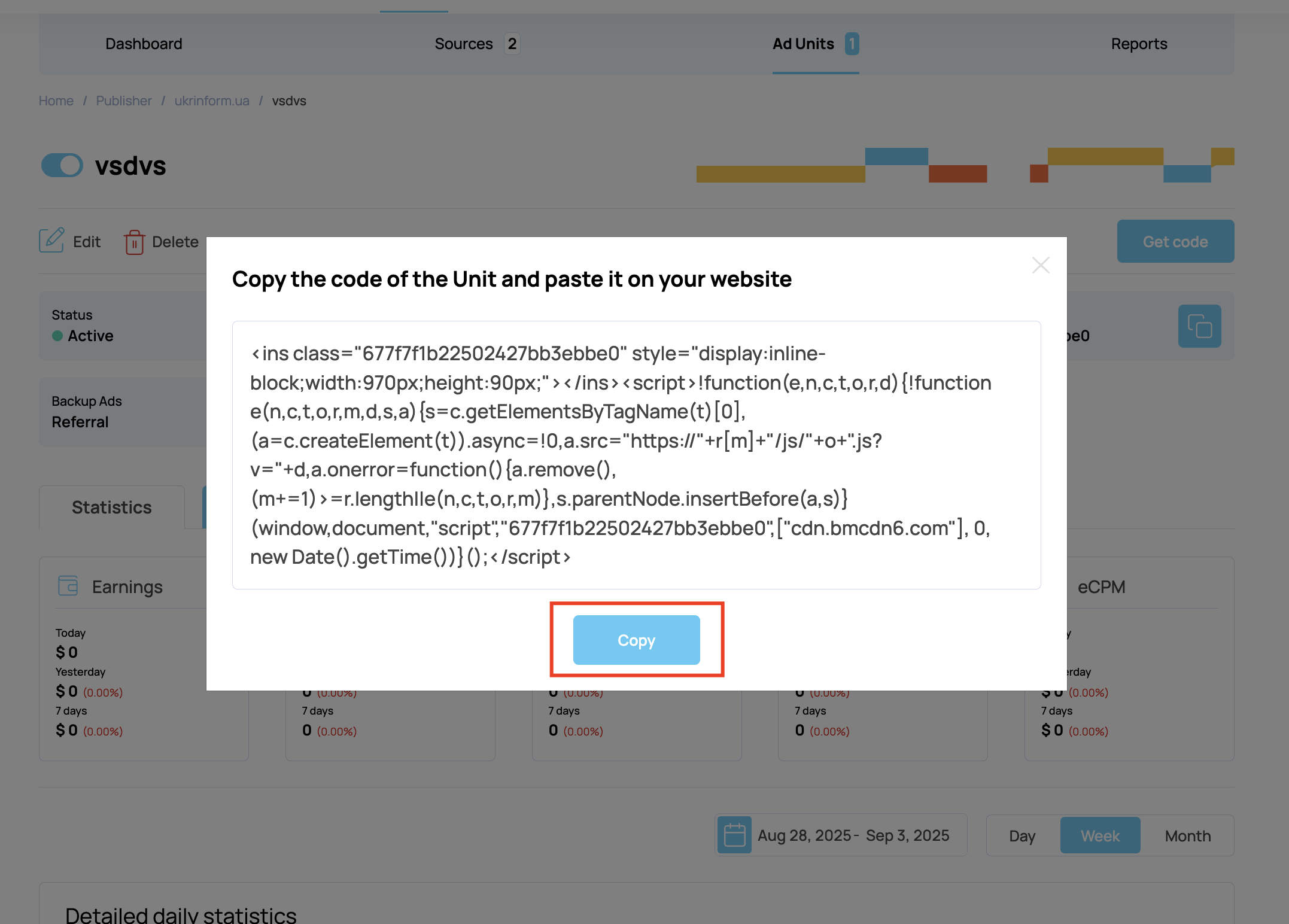
注意:您复制的代码看起来类似于这个示例(对于970x90广告):
<ins class="677f7f1b22502427bb3ebbe0" style="display:inline-block;width:970px;height:90px;"></ins>
<script>
!function(e,n,c,t,o,r,d){!function e(n,c,t,o,r,m,d,s,a){
s=c.getElementsByTagName(t)[0],(a=c.createElement(t)).async=!0,
a.src="https://"+r[m]+"/js/"+o+".js?v="+d,a.onerror=function(){
a.remove(),(m+=1)>=r.length||e(n,c,t,o,r,m)},s.parentNode.insertBefore(a,s)
}(window,document,"script","677f7f1b22502427bb3ebbe0",["cdn.bmcdn6.com"], 0, new Date().getTime())}();
</script>
步骤2. 将代码粘贴到您的网站
您可以将Bitmedia投放代码插入到您希望广告出现的网站上的任何位置。方法如下:
A. 文章内/内联广告
将代码粘贴到<body>内您希望广告可见的位置,通常在文章或内容部分之间。
示例:
HTML / JS <article> <h2>Your Article Title</h2> <p>Some introductory text.</p> <!-- Bitmedia Ad Unit --> <ins class="YOUR-AD-CLASS" style="display:inline-block;width:970px;height:90px;"></ins> <script> /* Insert your Bitmedia script here */ </script> <p>Continuation of your article...</p> </article>B. 侧边栏或固定位置广告
对于侧边栏或固定广告,将代码插入到专用的<div>中,并根据需要使用CSS进行样式设置和定位。
示例:
HTML / JS <div id="sidebar-ad"> <ins class="YOUR-AD-CLASS" style="display:inline-block;width:300px;height:250px;"></ins> <script> /* Insert your Bitmedia script here */ </script> </div> <style> #sidebar-ad { position: fixed; right: 10px; top: 150px; z-index: 1000; } </style>替换YOUR-AD-CLASS和style值为您复制的代码中的值。
步骤3. 测试广告
- 保存您的更改,如有必要,上传到您的Web服务器或托管平台。
- 在浏览器中打开您的网站。
- 验证Bitmedia广告是否在预期位置正确显示。
- 禁用广告拦截器在您的浏览器中,因为它们可能会阻止您的广告显示。
提示和最佳实践
故障排除
如果广告未显示:
- 仔细检查您的代码放置位置。
- 确保您没有使用广告拦截器。
- 添加代码后等待几分钟(Bitmedia可能需要一点时间才能开始投放广告)。
- 如果问题持续存在,请联系Bitmedia支持。